banner

Planning your SkyView System


SkyView Panel

Designing a SkyView System for your aircraft is not complicated, but there are some details you should know. The following will help guide you in determining what components you need. For actual installation and setup information, we suggest you download the complete SkyView Installation Guide found on our Product Documentation Page.

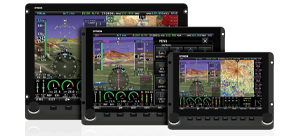
How Many Displays?  There are two reasons to have more than one Display: real estate and redundancy. Up to four displays can be networked together. It's true that just one display can show everything, namely the Primary Flight Display (PFD), Moving Map, and Engine Monitoring. However, adding a second display allows both to be dedicated for specific purposes. For example, the left display could show the PFD while the right display shows the Moving Map and Engine Monitor. In the unlikely event of a display failure, the remaining display can still show all data.

How Many ADAHRS?  One SV-ADAHRS-200 will provide flight data for up to four Displays. However, you can add one or more SV-ADAHRS-201s in order to provide redundancy. When connected by the SkyView Network, the primary ADAHRS will provide flight data to every Display. In the unlikely event of ADAHRS failure, the secondary or tertiary ADAHRS will provide flight data to every display.

How Are Displays Mounted?  The SkyView Displays use a simple but elegant mounting scheme. Simply cut a hole to size for the display, drill holes for the mounting screws, and attach nut plates. No tray is needed. The Displays unscrew from the front to allow easy removal and access to the inside of your instrument panel. You can find hole dimensions for the two screens in the SkyView Installation Guide.

Wiring Harness:  Each SkyView Display comes with a Main Wiring Harness. It consists of a D37 connector and a variety of wire leads. One USB Port is included with 3-foot leads. The other leads are used for Primary Power, GPS Serial Input, four General Purpose Serial Inputs, Audio Output, Four Discrete General Purpose Inputs, Panel Dim In/Out, and a Backup Battery Connector. 9-Wire Network Cables are used to connect between Displays and Modules.

How Many Network Cables?  Each Display has two D9 Network Ports. Each Module has a single D9 Network Port. A cable is typically required between two Displays, between a Display and an ADAHRS Module, and between a Display and an EMS Module. SkyView Network Cables are made of aircraft quality Tefzel wires and come in a variety of lengths:
* SV-NET-3CC is three feet long
* SV-NET-6CC is six feet long
* SV-NET-10CP is ten feet long
* SV-NET-15CP is fifteen feet long
* SV-NET-20CP is twenty feet long
* SV-NET-25CP is twenty-five feet long
* SV-NET-30CP is thirty feet long
The first two have D9 connectors on both ends. The latter three have a D9 connector on one end, and on the other end pins are pre-crimped to the wires. Once the cables are routed through the aircraft, the second D9 connector can be easily affixed to the pins.

If you have (down), you will need (across):
Short Cable
SV-NET-3CC

Longer Cable
SV-NET-XX

Splitter
SV-NETSPL
1 Display + 1 ADAHRS
  1  
Add a ADAHRS
    +1
Add a Display
+1    
Add a EMS Module
+1    
Add A/P Servo
  See Note(1) +2
TOTAL CABLES NEEDED:
     

NOTE (1) - Autopilot Servo Wiring: Autopilot Servos have seven leads. Four leads should be connected to two sets of twisted-wire pairs, 22 gauge or larger, and be spliced into the nearest SkyView Network connection. A SV-NET-SPL can be used for this. Two other leads are to be connected to appropriately-sized Power and Ground wires, and connected to the main aircraft electrical bus with the correct circuit breakers or fuses. The final lead needs to be connected to a quick-disconnect switch on the aircraft control yoke or stick. Dynon does not make a pre-wired cable for the Servos. A SkyView Network cable can be used for the two Network connections (four wires), but it may be more economical to create separate custom wiring for the Servos. Download the Servo Wiring Diagram for more information.

Test Cable: Each SkyView Display is shipped with a ten foot test cable. This cable is to be used for connecting the Display to the ADAHRS or EMS Modules before installation, to ensure proper functionality. They are NOT made of Tefzel wiring, and so should not be use for actual installation in the aircraft.

Backup Batteries: One SV-BAT-320 Backup Battery can be connected to each Display. A Backup Battery will supply over an hour of electrical power to one Display and the Modules connected into the SkyView Network, including a SV-GPS-250. A Backup Battery will not supply power to another Display in the System, so one SV-BAT-320 should be installed for each Display.

GPS Receiver: A GPS Receiver with a standard NMEA Aviation Output connects to a Serial Input on the SkyView Main Harness. We recommend the SV-GPS-250 SkyView GPS Receiver because its power is provided by the SkyView System, including a Backup Battery in the case of an aircraft electrical system failure. Other GPS receivers can be connected as back-ups via one of the other four serial ports.

OAT Probe: Each SV-ADAHRS-200/201 includes a SV-OAT-340 Outside Temperature Probe, including a 6-foot cable to connect between them.

EMS Module Setups: SkyView ships with default Lycoming 4-Cylinder engine sensor settings and screen layout. These are easily customized as desired, and setups for other standard engines can be downloaded from our Support Forum.

Mechanical Specifications:  Links to mechanical drawings for the SkyView Modules can be found on the left of this page. A summary of specifications is also on our Specifications Page.

System Architecture: The following image shows the components that comprise the SkyView System:

SkyView Network

Location Requirements - SV-D1000 and SV-D700: Observe the following guidelines when choosing a location for a SkyView display:

  • Displays require about 2.4” of free space behind the panel, depending on mounting surface thickness
  • The SkyView Display Harness (SV-HARNESS-D37) extends 3” from the back of the display.
  • Leave an inch beyond the physically required volume for the display’s heat sinks and fans to operate.
  • Avoid placing the display near heater vents or any source of extremely hot air.
  • The display should be easily viewable without any obstructions.
  • Displays have no internal sensors and do not need to be mounted in the same orientation as the ADAHRS or other modules.
  • Displays only support a landscape viewing orientation; do not mount in portrait orientation.
  • SkyView systems support up to four displays.

Typical Configurations:The following are the components you need to order to complete some typical SkyView System configurations:

Single 10" (or 7") Display System
Model/Qty NOTES
1 x SV-D1000 Every SkyView Display includes the Primary Wiring Harness.
Order the SV-D700 if you want the 7" Display.
1 x SV-ADAHRS-200 At least one ADAHRS Module is needed.
1 x SV-NET-10CP To connect the Display to the ADAHRS. (Other lengths are available.)
1 x SV-GPS-250 The SkyView GPS Receiver. We suggest you include this GPS receiver because it is designed to work well with the SkyView System, and because in the case of aircraft electrical failure it will draw power for a SkyView Backup Battery.
1 x SV-BAT-320 The SkyView Backup Battery will maintain SkyView System power for an hour after an aircraft electrical failure.

Dual 10" (or 7") Display System with Redundancy
Model/Qty NOTES
2 x SV-D1000 Every SkyView Display includes the Primary Wiring Harness.
Order SV-D700's if you want 7" Displays.
1 x SV-ADAHRS-200 At least one ADAHRS Module is needed.
1 x SV-ADAHRS-201 The second ADAHRS adds redundancy.
1 x SV-NET-10CP To connect the Display to the ADAHRS. (Other lengths are available.)
1 x SV-NET-3CC To connect one Display to the other.
1 x SV-NET-SPL To allow the SV-NET-10CP to connect to two ADAHRS.
2 x SV-GPS-250 The SkyView GPS Receiver. Add the second one for redundancy.
2 x SV-BAT-320 The SkyView Backup Battery will maintain SkyView System power for an hour after an aircraft electrical failure. You should order one Battery for each Display.

Single 10" (or 7") Display System with Autopilot
Model/Qty NOTES
1 x SV-D1000 Every SkyView Display includes the Primary Wiring Harness.
Order a SV-D700 if you want a 7" Display.
1 x SV-ADAHRS-200 At least one ADAHRS Module is needed.
1 x SV-NET-10CP To connect the Display to the ADAHRS. (Other lengths are available.)
1 x SV-GPS-250 The SkyView GPS Receiver. We suggest you include this GPS receiver because it is designed to work well with the SkyView System, and because in the case of aircraft electrical failure it will draw power from a SkyView Backup Battery.
1 x SV-BAT-320 The SkyView Backup Battery will maintain SkyView System power for an hour after an aircraft electrical failure.
1 x SV-NET-SPL To allow a second cable to be connected to the the ADAHRS Module.
2 x SV32s Order two Autopilot Servos, one for pitch and one for roll.
2 x Servo Mounting Kit Select from one of our aircraft specific kits or a generic kit. The generic kit include the linkage arm, but not the mounting bracket which you will have to custom make for your aircraft.
Servo Wiring You will need to install your own servo wiring, to supply power, connect to the SkyView Network, and to the Quick Disconnect Switch on your control yoke or stick. See more at the SkyView Autopilot Page.


More Info

Download a copy of the SkyView Installation Guide.

We also have a forum and a Frequently Asked Questions pages dedicated to the SkyView System.