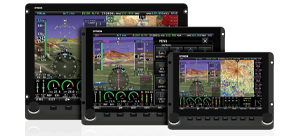
Aviation, Obstacle, Terrain, and Base Map Databases: If you are seeking database updates only, the separate SkyView Database Downloads page contains aviation, obstacle, terrain, and base map/cultural databases. It also includes information about data sources that are available for customers who live outside the US. These databases are frequently updated.
Dynon SkyView System Software
There are two ways to update your SkyView system, depending on your existing software version and where you are in the world. Method 1 packages all of the most commonly downloaded files into packages that are available for US and Western Europe systems. Method 2 requires that you download and load multiple files to your SkyView system individually.
Use Method 1 if all of the following are true:
- You live in either the US or Western Europe.
- Your SkyView system already has version 4.0 or greater on it..
- You have not created any custom engine sensor definition via a custom .SFG file.
Use Method 2 if any of the above statements are not true, or, if you are a technically-minded customer who prefers to to dive into the details.
If you are unfamiliar with how to load files on your SkyView system, click here for detailed loading instructions.
Method 1: SkyView Update Package
(US and Western Europe Only)
Choose the US or Western Europe Package as appropriate. These packaged updates should be loaded onto each display individually.
The SETUP MENU > SYSTEM SOFTWARE > LOAD FILES option must be used when using these packaged updates with SkyView 4.0, instead of the "UPDATE TO SOFTWARE VERSION 5.1...." option.
Note that SkyView 5.0+ contains a software update to the SV-XPNDR-26X transponders. This update enables full ADS-B traffic reception (via the SV-ADSB-470) in the US. It also enables an auto air/gnd mode switching for all customers. Due to US TSO requirements, this update must be initialized manually after updating to SkyView 5.0 by going to the TRANSPONDER SETUP menu SkyView. This update also requires that a label be applied at the time of upgrade (available at www.dynonavionics.com/transponder) when the aircraft is registerd or operated in the US. See the latest SkyView Installation Guide for full details.
US Quick Update Package to SkyView 5.1
This download contains a single file that is loadable to any US-based SkyView system. If you live in Canada or any other North American country, you should not use this package, as it includes US aviation and obstacle databases that will overwrite your existing Jeppesen or PocketFMS data. It includes the files listed below. If you have any custom EMS sensor definitions employed in your SkyView system, you should not use this file, and instead choose each of the appropriate files from the Method 2 (individual files) section below:
SkyView 5.1 US Only Quick Update Package |
Includes: -SkyView 5.1 Software Update |
Western Europe Quick Update Package to SkyView 5.1
This download contains a single file that is loadable to a SkyView system based in Western Europe. It includes the files listed in the table below. Note that it does not include aviation or obstacle databases, as those are only available from third party sources. If you have any custom EMS sensor definitions employed in your SkyView system, you should not use this file, and instead choose each of the appropriate files from the Mehod 2 (individual files) section below:
SkyView 5.1 Western Europe Quick Update Package |
Includes: -SkyView 5.1 Software Update |
Method 2: Individual SkyView Files and Detailed Updating Procedures
For customers who live outside the US or Western Europe, or otherwise wish to update the software and databases of their SkyView system individually. Please read each section below in its entirety to determine whether or not each file should be loaded on your SkyView display(s).
1) The SkyView 5.1 System Software Update: see below
2) The most up-to-date Engine Sensor Definitions: see below
3) The update to alert/warning map graphics: see below
4) An up-to-date Aviation database: SkyView Database Downloads
5) An up-to-date Obstacle database: SkyView Database Downloads
SkyView 5.1 System Software Update
This is the actual 5.1 software release. Everyone should download this file and load it onto their SkyView System. Click the link below to download it. This file must be loaded onto each display individually.
Update SkyView's software BEFORE updating any other databases or settings files that are on this page.
Note that SkyView 5.0+ contains a software update to the SV-XPNDR-26X transponders. This update enables full ADS-B traffic reception (via the SV-ADSB-470) in the US. It also enables an auto air/gnd mode switching for all customers. Due to US TSO requirements, this update must be initialized manually after updating to SkyView 5.0 by going to the TRANSPONDER SETUP menu SkyView. This update also requires that a label be applied at the time of upgrade (available at www.dynonavionics.com/transponder) when the aircraft is registerd or operated in the US. See the latest SkyView Installation Guide for full details.
SkyView 5.1 |
Version 5.1 release. Read about what's new before downloading |
What's new? |
This file updates the sensor definitions and characterizations used by the EMS. There are occasional improvements to sensor characterizations. Unless you are using a custom engine sensor definitions file, you should keep this file up-to-date. Click the link below to download it. This file must be loaded to each SkyView display individually..
If you are having issues downloading this file please Right Click and select Save As.
| SkyView | Sensor File updated 12/06/12 |
Map Graphics/Text Legibility Update
This file updates the way that alert and warning areas are depicted on the SkyView map page for better visibility, and also improves class B and D airspace floor/ceiling text for legibility. Everyone should load this file. You only need to load this file onto one display: it will synchronize to all other displays via SkyView Network.
If you are having issues downloading this file please Right Click and select Save As.
| SkyView | Warning/Alert Area Graphics Update: 1/30/13 |
Additional SkyView Downloads - Initial Setup
These files are generally only used during the initial setup of a SkyView system.
Terrain and Base Map Databases for non US Customers
If you are configuring you SkyView system for the first time, and live outside the US (SkyView displays come pre-loaded with the US regions of both of these databases), you should visit the following two database pages to download the Base Map and Terrain database for your region of the world:
1) The Base Map for your region of the world: Base Map Downloads.
2)
The high resolution terrain database for your region: Terrain Database Downloads.
Engine Monitor Setups
Dynon Avionics has created pin mappings and screen layouts for the most common engine types - Lycoming, Continental, Jabiru, and Rotax - used by customers. If you haven’t already set up your engine page, these files will give you a great “head start”. To download these files, click the link below. A page with the files will open in a new browser window or tab.
| SkyView | EMS Setups |
ENGINE SETUP PAGE |